The Best DeepCharts Alternative for Learning Orderflow
Orderflow software is expensive, typically costing hundreds of dollars per month. MarketByOrder is a browser-based orderflow replay tool with DOM, charts, and time & sales built for practice. Try up to 3 replays per day with 5 minutes of total replay time free, using our included market data. A paid plan is required for more replay time. See how it works for a full breakdown of setup and data usage.
The quick comparison table below is the fast answer. The rest of this page walks through the actual charting and replay tools.
Quick Comparison
| Feature | DeepCharts | MarketByOrder |
|---|---|---|
| Platform price | $100+/mo | Paid plans + daily preview |
| Platform | Desktop + Browser (limited) | Browser (full-featured) |
| Market replay | Yes | Yes (tick-level) |
| DOM / order book | Yes (basic) | Yes (stacking, pulling) |
| Time & sales | No / Limited | Yes (reconstructed) |
| Footprint charts | Yes | Yes |
| Volume profile | Yes | Yes |
| Large trade detection | Yes | Yes |
| Live trading | Yes | No |
Custom Trade Indicators
Big Trades
A large order rarely reaches the tape in one piece. The venue fills it against whatever size is resting, so a single decision by a single participant arrives as a scatter of smaller prints. The chart below merges those child fills back into the order that produced them, then draws each reconstructed order as one circle.
Customize It
None of this is fixed behaviour. The whole indicator is the script below, and you edit it inside the app: where the size scale tops out, which side gets which colour, how small the smallest print is drawn. Hover a line to see what it puts on the chart.
DeepCharts ships a built-in called DeepTrades that shows something similar. The difference is not what lands on the chart, it is that this version is a script you can open and change.
Footprint Charts
Why It Matters
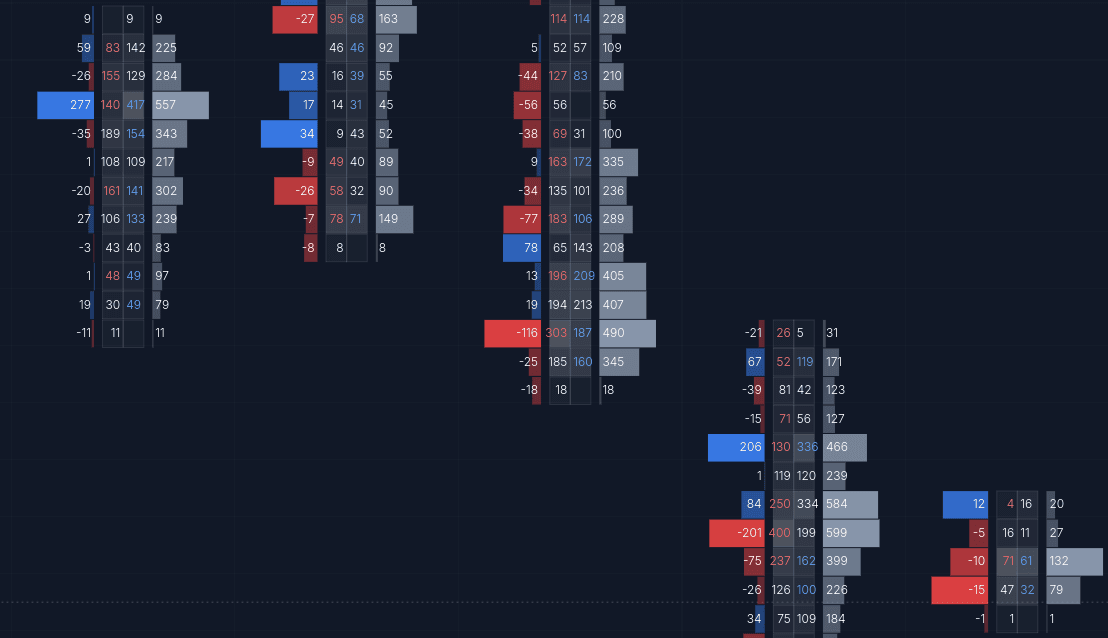
Footprint charts reveal the volume traded at each price level within a candle - showing you exactly where buyers and sellers were active. Gradient shading, visible delta, and light price condensing make imbalances easy to read at a glance.
Depth of Market (DOM)
What To Watch
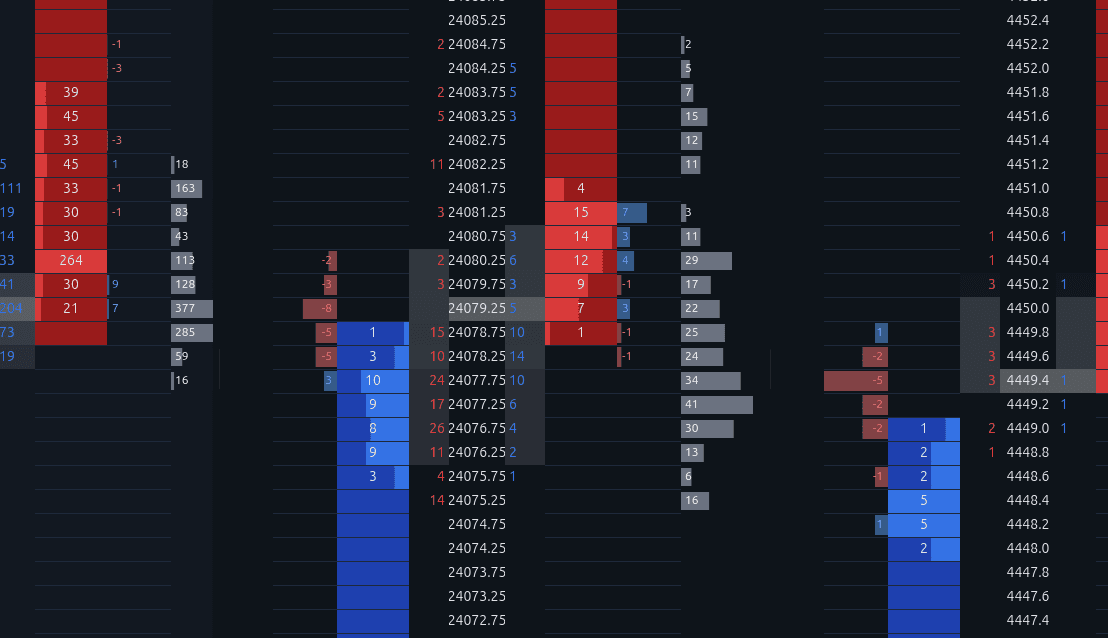
The DOM shows resting limit orders on each side of the book in real time. Stack and Pull columns track how liquidity is being added or removed, and the depth histogram visualizes the shape of the order book at a glance.
Track Performance
Review After The Replay
Every trade you take during a replay is logged automatically. The dashboard tracks your session time, trade count, win rate, and daily P&L so you can measure improvement over time - no spreadsheet required.
Time Replayed
12h 34m
Total session time
Trades Taken
87
Total completed trades
Win Rate
58%
Profitable trades / total