Footprint Charts
Footprint charts display the trade makeup of each candlestick. This can be any individual representation of every buy and sell trade. MarketByOrder lets you replay historical order flow, and customize every aspect of the chart, writing your own chart visualizations in TypeScript.
How it works
MarketByOrder is a replay engine. Historical data is loaded in as if it were live, so you can test layouts and indicators to your liking. Fast forward, pause, rewind.
Pick any past session and time to open historical footprint charts for ES, NQ, CL, GC and more.
Pricing
Try up to 3 replays per day with 5 minutes of total replay time free, using our included market data. A paid plan is required for more replay time. If you want an instrument or a date we do not carry, you can connect your own Databento key and pay Databento for the data those replays request, which is measured in cents per hour of replay.
How to read it
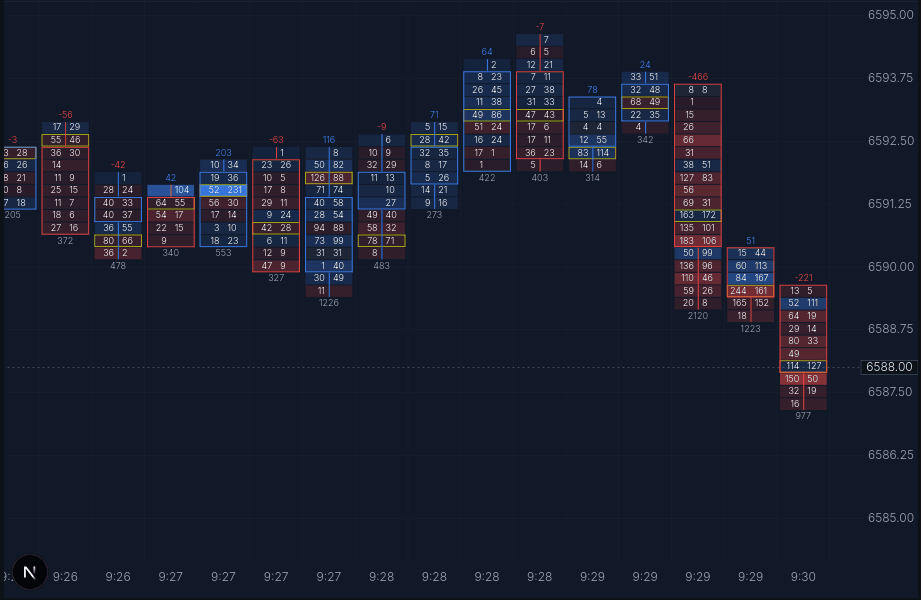
Each row inside a candle is a price level, and each level shows the volume that executed there while the candle was open.
Cell values
In sell x buy view, each price level shows executed sells on the left and buys on the right. This makes it easier to see where one side was more aggressive inside the candle.
Delta and total volume
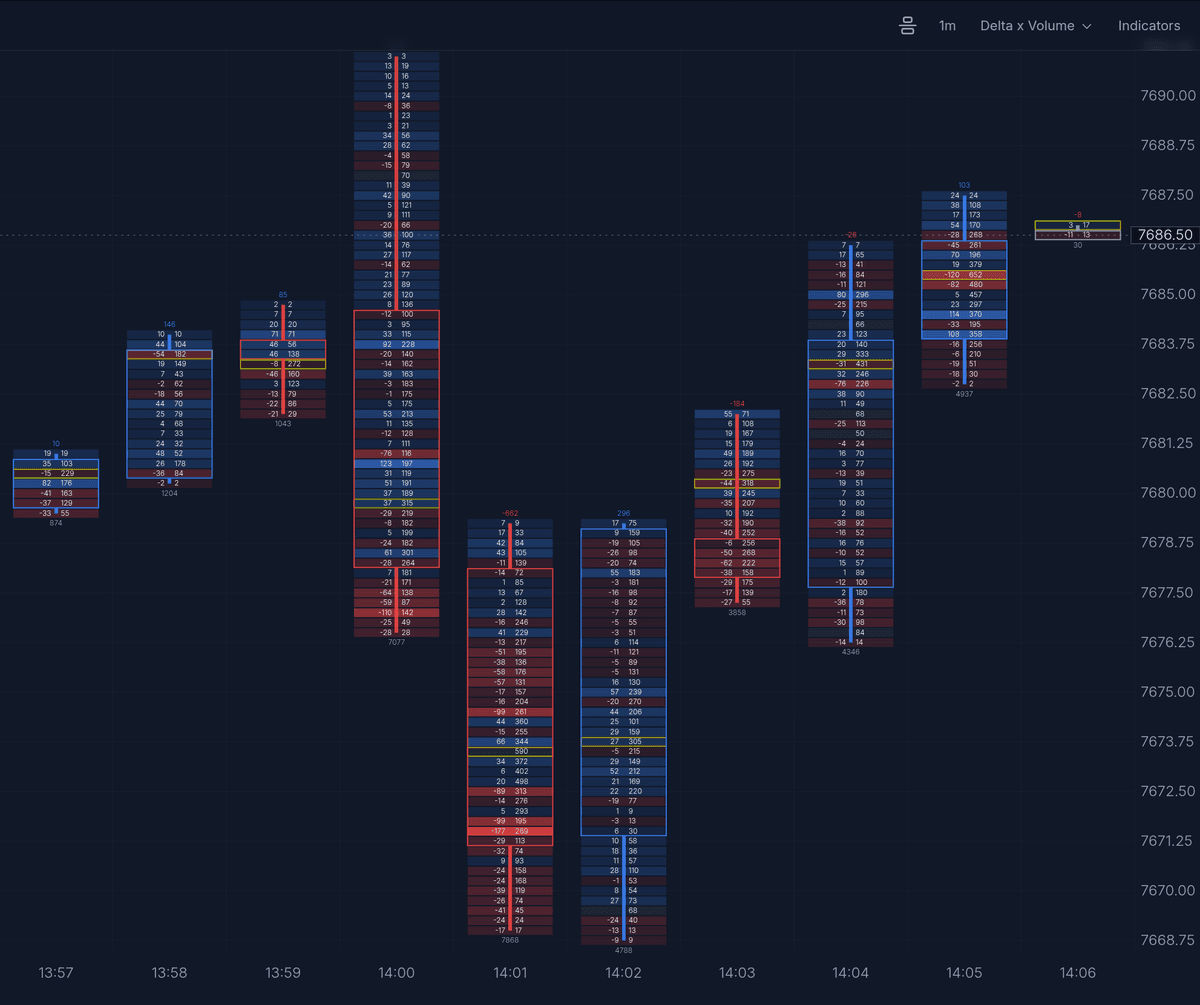
The value above a candle can show delta, while the value below can show total volume. Together they help separate directional aggression from overall participation.
Highlighted levels
Brighter cells and outlined levels help draw attention to prices where the most business was done or where imbalance stood out.
What to look for
- Imbalance - strong buying or selling at a price level.
- Absorption - high volume but price doesn't move.
- Point of control - where the most volume traded.
- Volume shifts - higher volume than the previous range bound candles.
Try the Footprint Chart
Follow the MNQ footprint trading walkthrough to see the same session read end to end.
Make your own footprint style
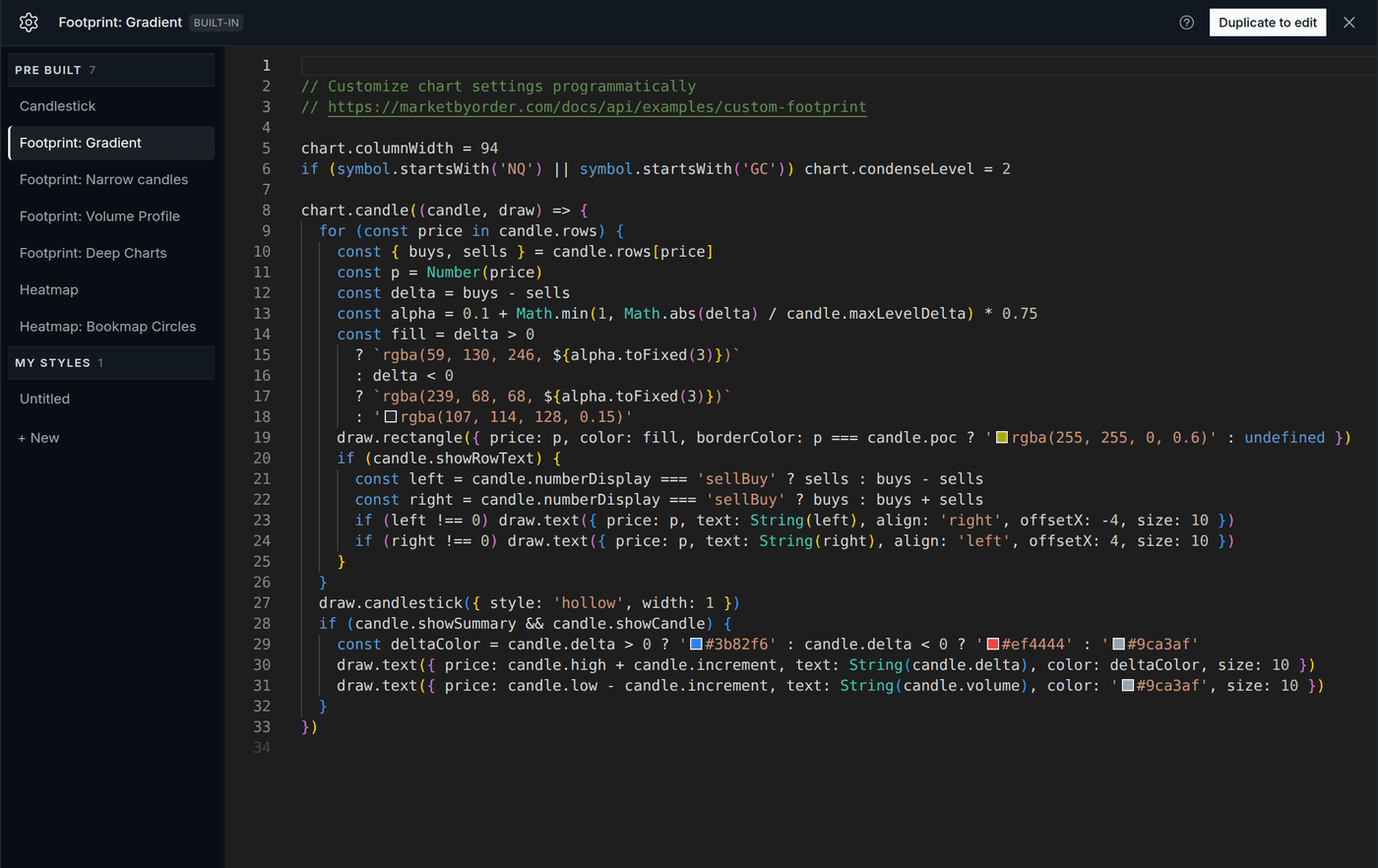
Every chart style, including the footprints that ship with the app, is a short TypeScript script. The shipped styles are read-only, so you make your own by copying one and changing it.
- Open the chart style menu in the chart header and pick Edit script… to open the Styles window, with the Pre Built styles at the top and yours under My Styles.
- Select a Pre Built style and click Duplicate to edit. The copy appears under My Styles, takes over the chart, and its name is ready to change.
- Edit the script. Typing saves your copy as you go, and Cmd/Ctrl+S saves it straight away.
- Click Apply to run it on the chart. It stays in the chart style menu under My Styles from then on.
New style… in the chart style menu, or + New in the Styles window, starts from a minimal script instead of a copy.
Example: delta x volume
The shipped footprints show sells x buys at each price. To show delta and total volume instead, duplicate Footprint: Gradient and add one line near the top:
chart.numberDisplay = 'deltaVol' // 'sellBuy' | 'deltaVol'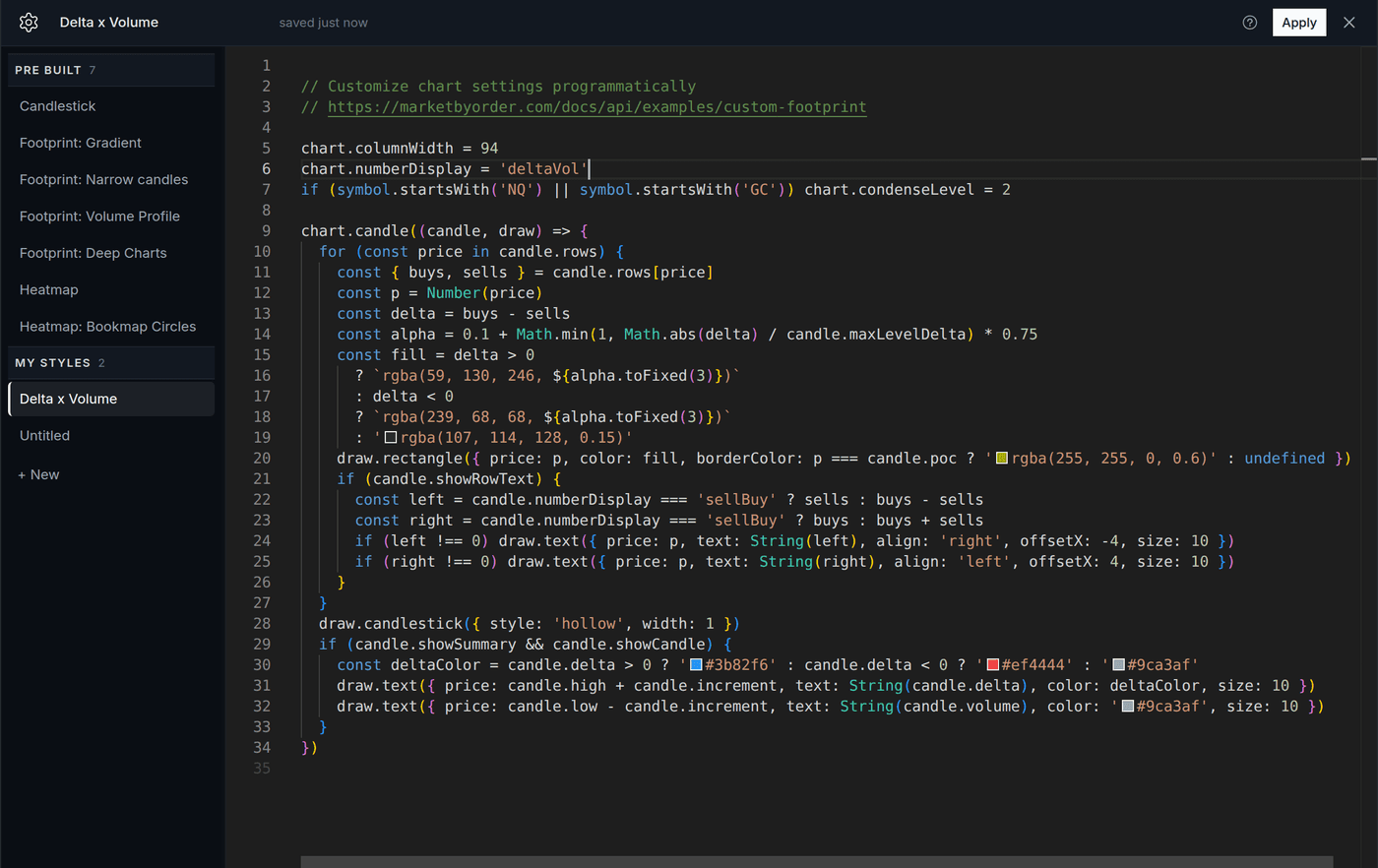
Apply, and every row reads delta on the left and volume on the right.
Other one-line changes
chart.condenseLevel = 2merges neighbouring price rows. The shipped footprints already do this for NQ and GC.chart.columnWidth = 120sets how wide each candle starts, in pixels. Zooming still works after.- The
rgba(...)values in the script are the colours. Change them in place.
Condense 2x puts two price levels in each row. The candle gets shorter and larger pockets of volume stand out faster.
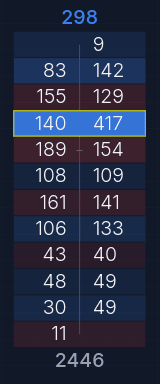
Condense Off
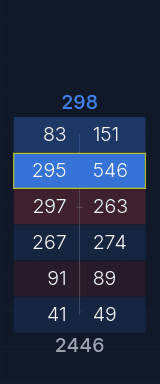
Condense 2x
Without writing code
Open Modify with AI in the header and describe the look you want, for example "show delta and volume in each row" or "make the buy side green".
Indicators
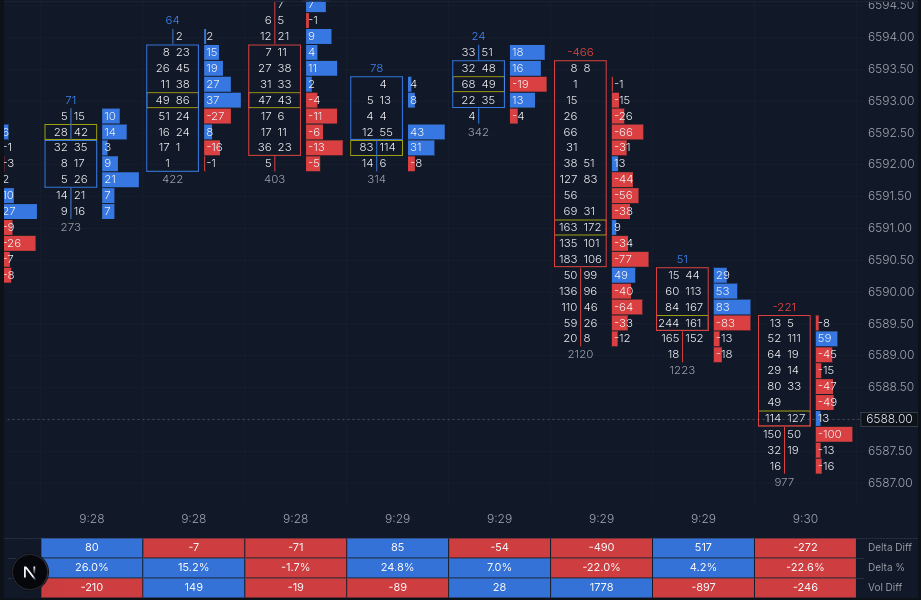
Indicators draw on top of the candles or into their own panel below the chart. Here delta bars sit beside each candle, with per-candle delta and volume stats in a panel underneath. Turn them on from the Indicators menu, or add a use() line to your style.
Write your own
Both the settings and the indicators are TypeScript. Your script runs against the replay data on every book update, with the order book, tape, and accumulated footprint available as globals, and drawing calls for marks, lines, boxes, and panels.
- Code API overview - the globals, and a reference you can paste into an LLM.
- Settings script -
use(), condense level, number display, and the candle renderer behind the presets above. - Create a custom footprint chart - build your own candle renderer step by step, from the geometry to diagonal imbalances.
- Candles API - per-candle, per-price buy and sell volume.
- Example: periodic volume profile - per-block profiles with range boxes.