Historical Time and Sales Replay (Reconstructed Tape)
Our historical time and sales replay reconstructs aggressive orders from individual executions, allowing traders to analyze true order flow and tape behavior tick by tick.
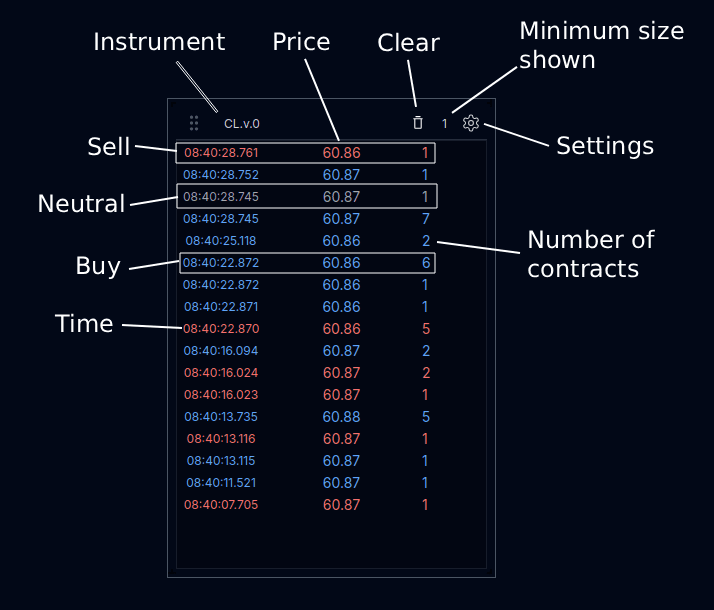
Minimum Size – Filter Trades
During high volatility, the tape can print rapidly. Use the minimum size filter to hide smaller executions and focus on larger, more meaningful trades.
Settings
Configuration differs slightly between futures and stocks.
Futures
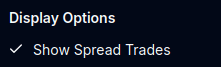
Spread Trades
Spread trades occur when calendar or inter-commodity spreads are executed. Because they involve simultaneous legs, the directional side cannot be determined and prints as neutral.
Stocks
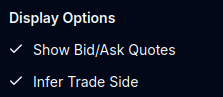
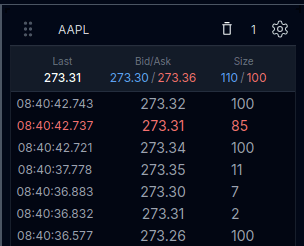
Bid / Ask Quotes
Because stock spreads can be wider, enabling Bid/Ask quotes helps visualize the best bid and best offer directly alongside the tape.
Infer Trade Side
Stock data is aggregated across venues. When trades occur inside the spread, side is inferred where possible. Trades that cannot be reliably classified remain neutral.
Neutral Trades
Futures
Futures exchanges provide trade direction. Neutral prints generally represent spread executions such as CLH6–CLG6, where one contract is bought and another sold simultaneously.
Stocks
With NBBO-based aggregation, trade direction is not explicitly published. When classification is ambiguous, trades are shown as neutral.