NQ Range Bars: What Range Size to Use, Replayed on the Open
A range bar closes when price has covered a set distance, however long that takes. On NQ, where one increment is 0.25, a 24r bar closes after a 6-point range. A fast market prints many range bars and a quiet one prints few, so each bar is the same size in price instead of the same length in time.
The footprint works on range bars the same way it works on time bars: the interval decides which trades go into a bar, and the footprint shows what traded at each price inside it.
The NQ open on 30-second bars and on 24r
Here are the same three and a half minutes of the September 18, 2026 NQ cash open, from 9:29:30 to 9:33 ET, drawn two ways.
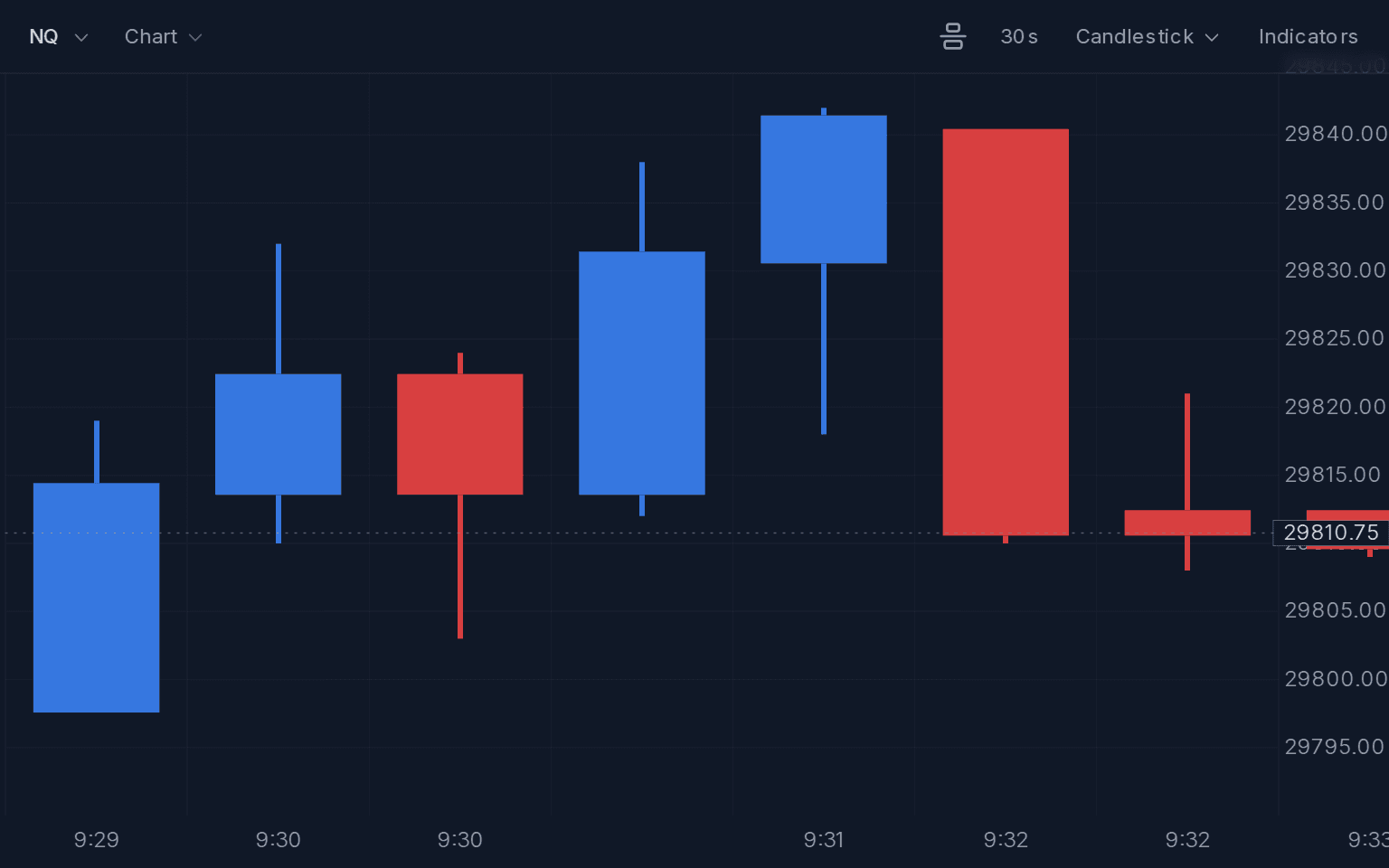
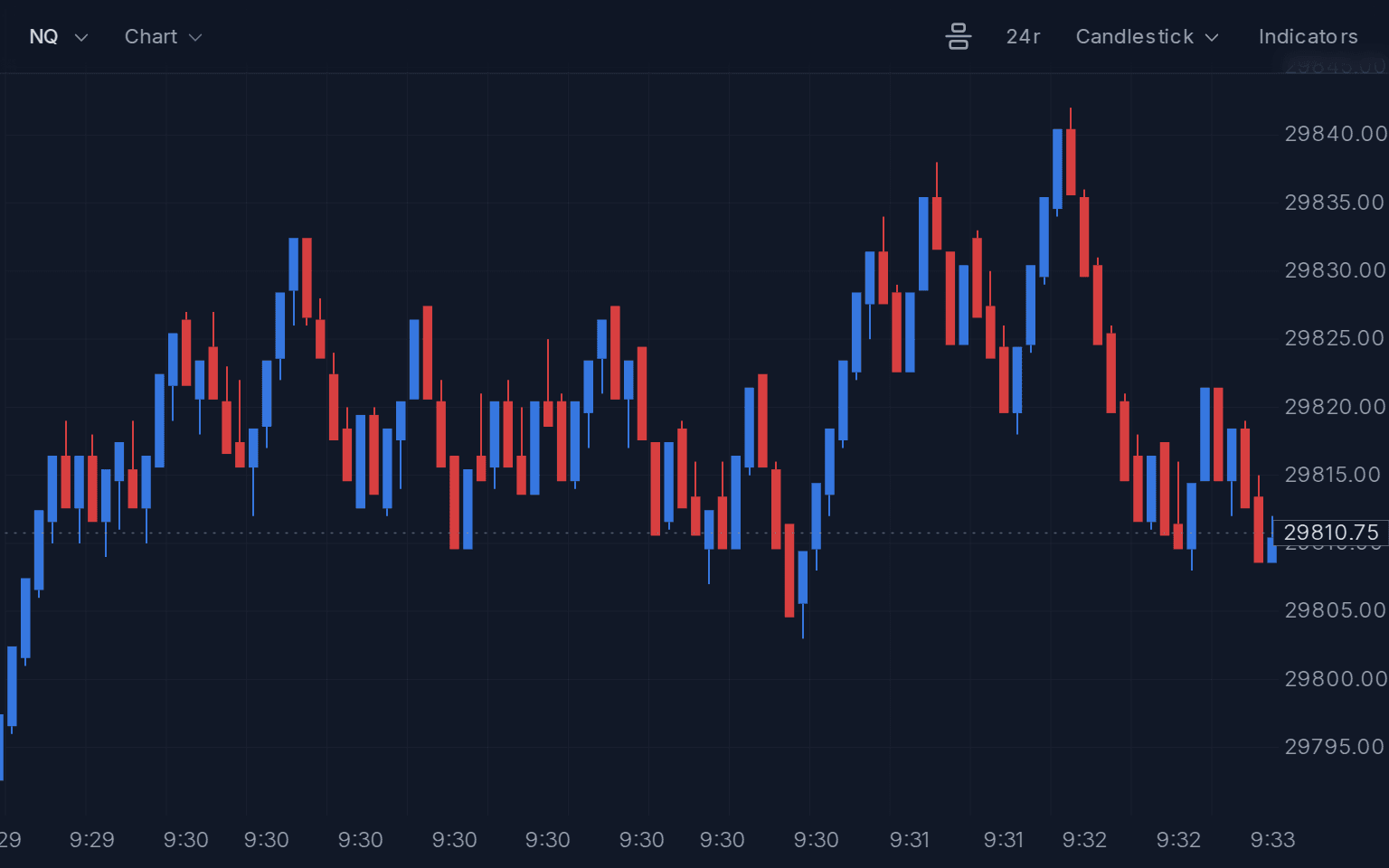
On 30-second bars the top of the move is two candles: a blue one up to about 29,842 and a red one back down to about 29,810 with a delta of -204. On 24r the same push and drop is a long run of bars, and you can see where price stalled, bounced and stalled again on the way.
The 24r chart is wider because the open was busy. Every 6 points of travel, up or down, prints a new bar, so the minutes with the most movement take up the most room.
Reading a footprint on 24r bars
Zoom in on the 30 seconds around the high, 9:31:40 to 9:32:10, and switch to a footprint style:
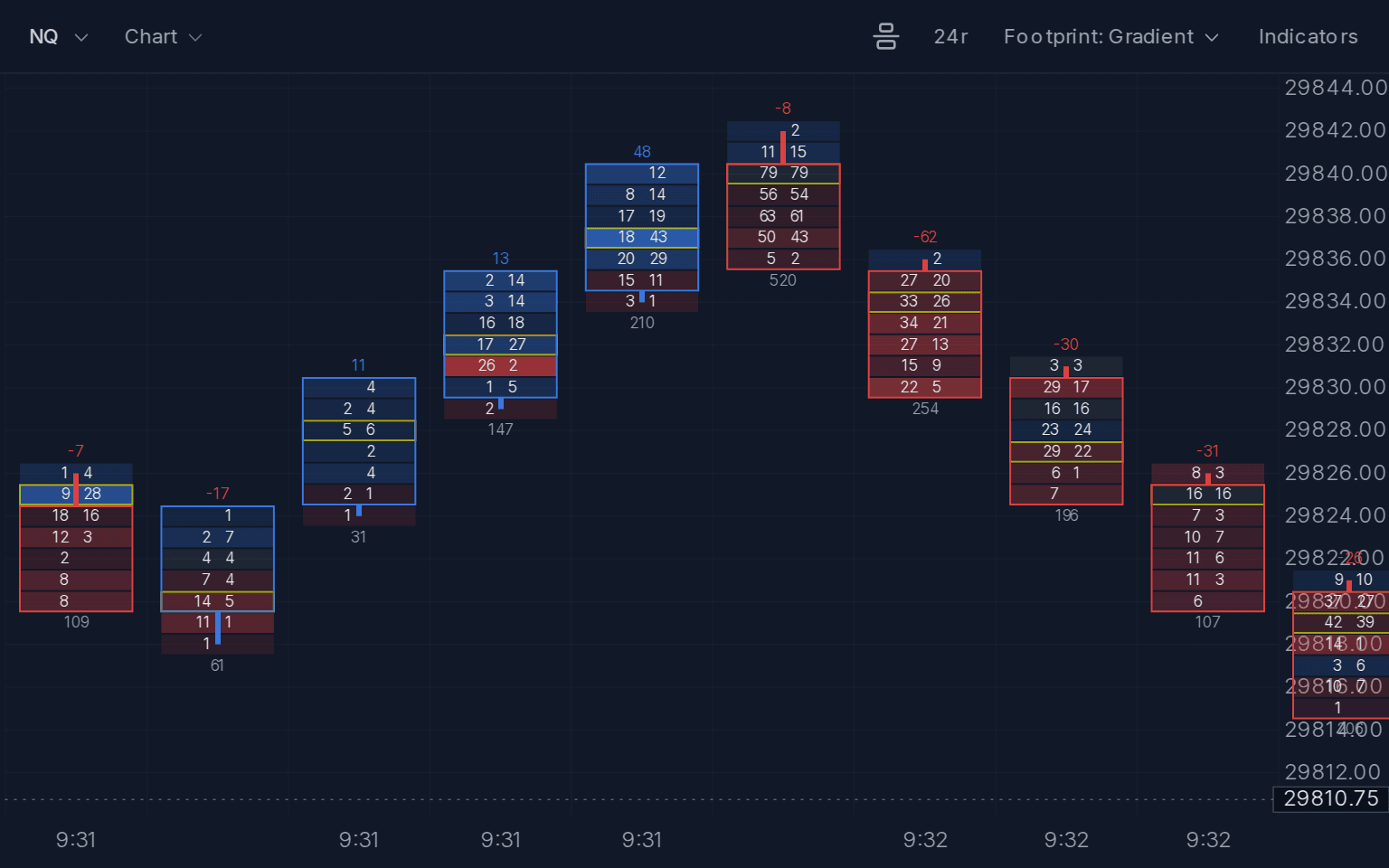
- The two bars into the high were buyers: delta +13, then +48 on 210 contracts.
- The bar that made the high near 29,842 traded 520 contracts, the most of the nine, with a delta of only -8. Plenty of volume on both sides, and price went no higher.
- The next three bars were sellers: -62, -30 and -31, back down to about 29,822.
On the 30-second chart all of that sits inside two candles. On 24r each step is its own bar, with its own volume at every price.
Choosing a range size
The range size decides how many bars a move becomes. Over the same three and a half minutes of the NQ open, 8r printed 651 bars, about three a second. 24r printed 95.
For a footprint, pick a size where the moment you want to study fits in about ten bars across the chart. Fewer bars leave room for the numbers; at 651 bars there is no room for them at any zoom. A size that suits the open will print far fewer bars later in the day, so it is worth trying a couple.
Two things to keep in mind when you read range bars. First, if a trade jumps past the rest of a bar's range, that trade starts the next bar, so a completed bar never covers more than its set range. Second, each bar covers a different amount of time, so a big volume number can mean a slow bar as easily as a busy one.
Replay the NQ open on range bars
- Open the NQ replay from 9:20 ET on September 18, 2026.
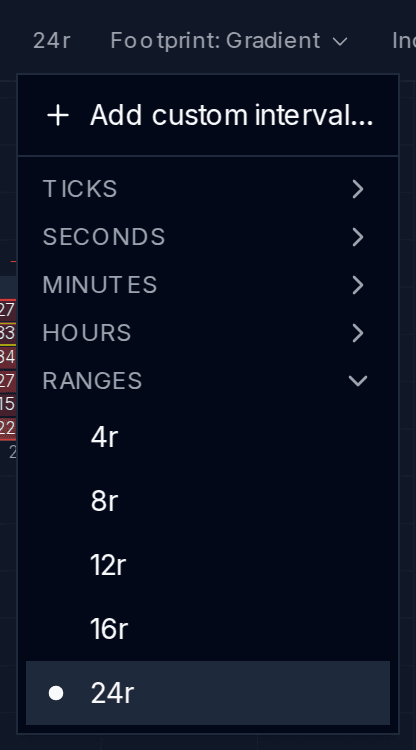
- In the chart interval menu, open Ranges and choose 24r. For any other size, use Add custom interval… and pick Ranges.
- In the chart style menu, choose Footprint: Gradient.
- Replay through 9:31 and 9:32 ET and pause near the high.
- Zoom in until about ten bars fill the chart, then switch to 30s to compare.
Range bars work on the historical futures data included in MarketByOrder. Open the NQ replay from 9:20 ET. An account is required to start a replay.
For more about footprint rows, imbalance and chart styles, see the footprint chart docs. For other sessions to replay, see Historical Footprint Charts.